Uptime monitoring for your Enhance panel
Paste a token, press “Test connection”, and every website in your Enhance panel is monitored from 15 probes on 6 continents. New sites start on their own, suspended sites pause, deleted sites go. One alert when a server dies, not one per site.
650,000 free checks every month. No card, no seats, no subscription.
Connect Enhance in three steps, about two minutes.
Paste a token
In PingWise, open Integrations → Connect Enhance and paste an API token from your Enhance master organisation. The page shows our servers’ addresses, so you can restrict the token to them in Enhance first.
See what we found
Press “Test connection”. You see every website and server we found, the interval we would use, and what it all costs in credits per month. Nothing is created yet.
Import and keep in sync
One click creates the monitors. Every 10 minutes we read your panel again: new sites start, suspended or disabled sites pause, deleted sites pause at once and are removed after 24 hours. Staging sites never page anyone.
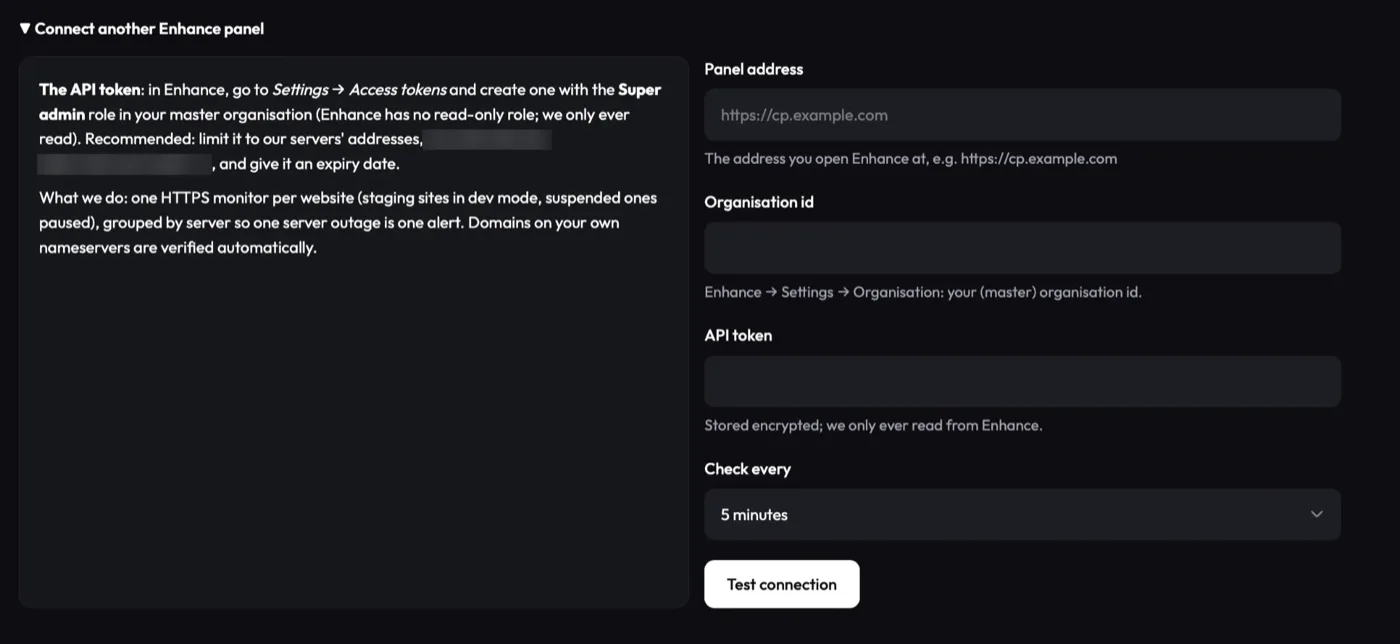

What the Enhance integration does for a panel full of other people’s sites.
One alert per server
Monitors are grouped by the server they live on. When a node with forty sites goes down you get one alert for the server, not forty emails, and only after probes on three continents agree.
Staging stays quiet
Staging sites are monitored in dev mode: 401, 403 and 404 count as up, and they never send an alert.
Blocked, not down
A Cloudflare challenge or block shows as “blocked”, not as an outage. Connect your Cloudflare account once and we keep the rule that lets our probes through in every zone you choose.
An account for each of your customers
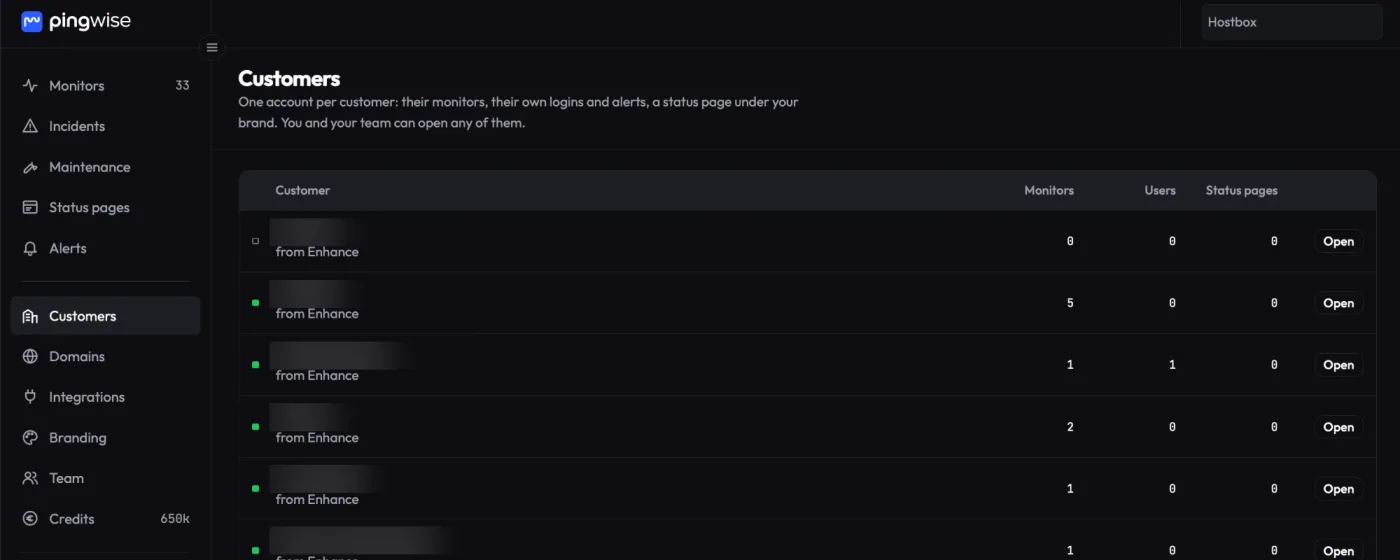
Tick one box and every Enhance customer organisation gets its own PingWise account, administered by you. Their people get their own login and alert channels, their status page carries your logo and colours, and they see only their sites. You see everything, and all of it uses your credits.
Servers next to sites
Add ping, TCP port, SMTP, TLS and DNS checks for the servers themselves, beside the websites on them. Ping works on any host; port, SMTP and DNS checks need a host under a domain you have verified.
Maintenance per server
Plan work on a whole node, once or on a schedule, and its alerts wait until the window is over. Status pages show it as maintenance, not as an outage.
Verified by DNS, not by the panel
A synced site counts as yours only when public DNS delegates it to nameservers under a domain you have verified with us, or its zone comes through Connect Cloudflare. Being in the panel is not enough. Verified sites unlock 15-second checks (10 seconds once you have bought credits), any port and custom HTTP requests.
An API for the rest
Everything else, your scripts can do: monitors, incidents, groups and status pages over a REST API with keys your account’s owners create. API documentation.
What the token can and cannot do
Enhance has no read-only API role, so listing every customer’s websites needs a Super admin token of your master organisation. This is exactly what happens to it.
- Read only, by construction. Our client makes two kinds of request, both GET: the organisation’s websites and its servers. There is no code path that creates, changes or deletes anything in Enhance.
- Encrypted at rest. The token is stored with Fernet (AES-128-CBC with HMAC-SHA256). The keys live only in the environment of our central server, never in the database. The panel shows the last characters of the token, never the token.
- Deleted with the integration. Disconnect the integration, or delete your account, and the token is gone.
- Fixed source addresses. The sync runs from our central server’s fixed IP addresses, shown on the Connect Enhance page, so you can restrict the token to them in Enhance.
- Written down. Section 2.6 of our Privacy Policy describes this processing.
If Enhance adds a read-only role, we move to it.
Per check, not per site or per seat.
One credit is one scheduled check of one monitor; confirmation rounds are free. Every account gets 650,000 credits a month for free, enough for about 75 sites every 5 minutes. Above that, you buy prepaid packs, valid 24 months.
Monthly figures use the rate of the credit pack a year of that usage would use up, before VAT. Hosting companies: see the launch offer.
Enhance monitoring: common questions
Does the sync write anything to my Enhance panel?
No. It only reads the list of websites and servers. Our client has no request that creates, changes or deletes anything there.
Our DNS is on Cloudflare. Does the sync still work?
Yes. The sync reads websites from the Enhance API, not from DNS. Cloudflare matters only if you want us to keep the rule that lets our probes through, or to verify sites through Connect Cloudflare.
What happens when a site is deleted in Enhance?
Its monitor pauses at the next sync, within 10 minutes, and is removed 24 hours later. If a single sync would pause or remove more than a fifth of your sites at once, it changes nothing, marks the integration “Needs attention” with what it found, and our team is notified, so a panel hiccup can’t wipe your monitoring.
What do my customers see?
If you turn on customer accounts, each customer’s people see only their own sites, alerts and status pages. Monitors that come from your panel are managed by the sync: your customers can rename them, add notes and choose where alerts go, but not change, pause or delete the check itself.
Which other panels do you support?
Enhance today. For any other panel, you can create monitors through the API or import a CSV.
Is PingWise affiliated with Enhance?
No. PingWise is an independent service. We built the integration because our own sites run on Enhance.
Monitor every site in your Enhance panel.
Connect in two minutes; nothing is created until you press Import. 650,000 free checks a month.
Enhance is a trademark of its owner, used here only to identify the control panel. PingWise is not affiliated with or endorsed by Enhance.